


Post-Hari Raya Solar ATAP Check: Did Your Malaysia Solar System Really Reduce Your TNB Bill or Just Waste Credits This Holiday?
Post-Hari Raya Solar ATAP Check: Did Your Malaysia Solar System Really Reduce Your TNB Bill or Just Waste Credits This Holiday?
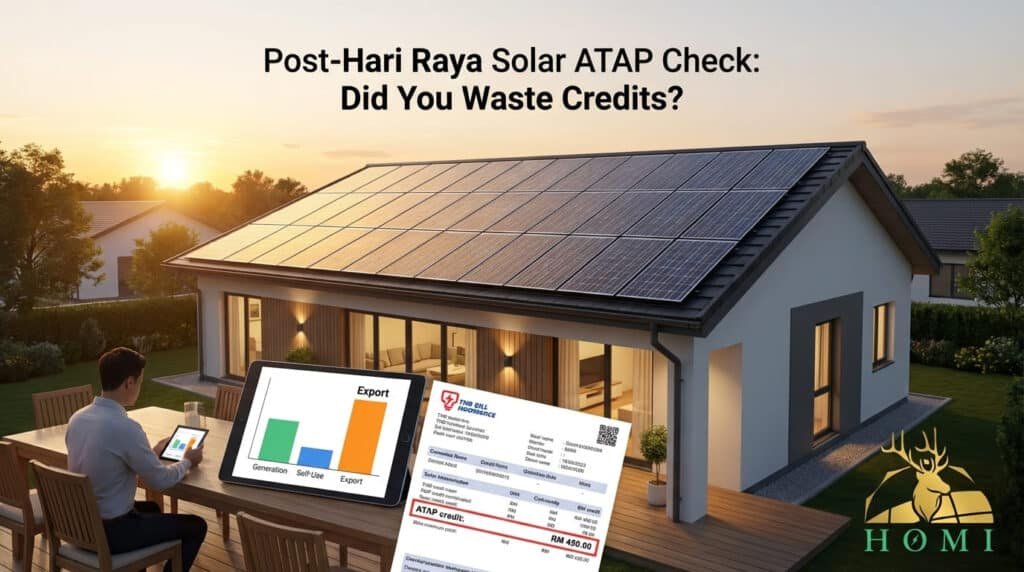
If you already have Solar ATAP on your roof, this is the perfect moment to ask: during the long holiday, did your solar actually reduce your bill—or did most of the midday generation just get exported away as credits you could not fully use?
Under Solar ATAP, export credits only offset the Energy Charge portion of your TNB bill and reset at the end of every billing month—there is no rollover and no cash payout. That means a long break like Hari Raya can turn into “free power for the grid” if you are not paying attention. This guide gives you three simple indicators to review after the holidays and shows how HOMI can help you tune your behaviour and system settings so next festive season, less of your solar goes to waste.
1. Quick Refresher: How Solar ATAP Credits Work (and Why Rollover Is Gone)
Compared with NEM 3.0, Solar ATAP is stricter and more focused on self-consumption.
- You self-consume your solar first in real time; this directly reduces grid kWh and Energy Charge.
- Any surplus is exported and earns monthly bill credits at the Energy Charge rate (energy-only portion).
- Credits can only offset Energy Charge in the same billing cycle; they do not roll over and are not paid out in cash.
2. Indicator #1 – Your Inverter/App: Generation vs Self-Consumption During Raya
Most modern systems have an app (e.g. SolisCloud, Huawei, SolarEdge, Growatt) where you can see “solar generation vs consumption vs export” by day. For a post-Raya review, focus on the specific holiday dates.
Steps to check:
- Open your monitoring app and filter the graph to the main Raya days (e.g. 3–7 days of holiday).
- Look for a chart that shows three lines or bars: solar generation, house consumption and export to grid.
- Note what % of solar was self-consumed vs exported in those days.
- On days when you were home entertaining, a reasonably high self-consumption percentage (e.g. 60–80% or more).
- On days when the house was empty, export will naturally be higher—but should not be extreme every single day of the month.
3. Indicator #2 – Your TNB Bill: How Much Came Back as ATAP Credit (and Did You Use It)?
Your TNB bill under Solar ATAP includes a line for solar export credits that offset Energy Charge only.
What to look for on your latest bill:
- Find the “ATAP credit” or solar export credit line and note the RM amount.
- Compare the Energy Charge line before and after applying credits (or ask your installer to help decode it).
- Ask yourself: “If my credits are big, is that because my system is covering my usage—or because I was away and exporting more than I actually needed?”
If your Energy Charge is already near zero for that month but you still see large credits, it suggests that part of your export did not translate into real savings—because credits cannot roll over to the next month. This is a hint that you either:
- Oversized your system for your real lifestyle, or
- Do not have a good “holiday usage plan” to soak up midday solar when you are home.
4. Indicator #3 – Your Real Holiday Usage Habits vs Your System Size
The last indicator is not in any app or bill—it is your actual behaviour during Raya.
Ask yourself three questions:
- Were you mostly at home during the day, or away (balik kampung) while your system kept generating?
- When you were home, were heavy loads (AC, washer, dryer, water heater, EV charging) mostly in 11am–4pm or at night?
- Does your system feel “too big” for your usual daytime usage, judging from how often the export bar in your app is taller than the consumption bar?
If your answer is “away a lot” + “mostly using energy at night” + “export bars always tall”, then your Solar ATAP setup is probably not optimised for the new rules.
Remember: under ATAP, the game is no longer “export as much as possible”. It is “design your system and habits so that most of your solar is consumed by your own house before the month ends”.
5. Simple Post-Holiday “Credit Waste Risk” Checker
Post-Raya Solar Credit Waste Checker
Use this quick tool to get a feel for how much of your Solar ATAP generation might be at risk of becoming “low-value export” during a holiday month.
Assumptions: Very simplified; credits ≈ exported kWh × Energy Charge; if your credit amount is large compared to your Energy Charge line, some export may not translate into real savings. Exact values depend on your actual tariff blocks and usage mix.
6. How HOMI Helps You Turn a Post-Raya Review into a Better-Year-Round Solar Strategy
Whether you are an existing Solar ATAP homeowner or still considering it, a structured post-holiday review can reveal a lot about your system sizing and habits.
- Review your inverter/app data (generation vs self-consumption vs export) across normal months and festive weeks.
- Decode your TNB bill, including how ATAP credits are applied to Energy Charge and whether credits are “over-supplying” your bill.
- Suggest changes to usage patterns and timer settings (e.g. AC, dehumidifiers, water heaters, EV charging) to increase daytime self-consumption.
- Evaluate whether your system is slightly oversized for your lifestyle and propose realistic ways to make better use of the extra capacity.
- Use your past TNB bills and projected ATAP rules to size a system around your real daytime patterns—not a marketing brochure scenario.
- Show side-by-side scenarios: “no solar”, “optimised ATAP self-consumption”, and “oversized with high export risk”.
FAQ: Post-Holiday Solar ATAP Review and Credit Waste
How can I tell from my inverter or app if I wasted a lot of solar during Hari Raya?
Most monitoring apps show daily charts of solar generation, house consumption and export. To check for waste, filter the view to the Raya period and look at each day’s breakdown. If you see that a large share of generated energy is being exported while house consumption is relatively low—especially on days when someone was at home—this indicates that your system produced more than your daytime loads required. Under Solar ATAP, such export only earns Energy Charge credits within the same billing month and cannot be carried forward, so excessive export during holidays can signal potential credit wastage.
Why does heavy export during long holidays not always translate into big savings under Solar ATAP?
Under Solar ATAP, exported energy earns bill credits at the Energy Charge rate, and those credits can only offset the Energy Charge portion of your TNB bill in the same billing cycle. They do not roll over to future months and cannot be used to offset capacity charges, network charges, AFA or taxes. If your export during a holiday pushes credits beyond what your Energy Charge can absorb for that month, the excess value effectively disappears. This is why long periods of low usage combined with strong solar generation can lead to “wasted” credits rather than proportional bill reductions.
What can HOMI do if my system seems oversized or my behaviour does not match Solar ATAP rules?
If monitoring and bill analysis suggest that your system is consistently exporting more than your Energy Charge can absorb, HOMI will first review your usage patterns and recommend behavioural and scheduling changes—such as shifting certain appliances into midday hours or adjusting thermostat settings—to raise self-consumption. We can also help configure inverter limits or explore demand-side options, and for prospective customers we can re-evaluate sizing assumptions using Solar ATAP’s no-rollover, energy-only credit rules. The objective is to align system capacity, settings and lifestyle so that future holidays and everyday usage convert more of your solar into real, measurable savings.
Want HOMI to review your TNB bill?
Send your usage pattern and HOMI can estimate whether Solar ATAP makes sense for your home or business.
Ask HOMI on WhatsApp